So you finally decided to start using a planner to organize your messy life.
You joined a few online communities, maybe watched some YouTube videos, or scrolled through planner content randomly on Instagram.
And suddenly, people are talking about “WO2P,” “brain dumps,” “functional spreads,” and “planner peace.”
Oh, and you’re sitting like… “What language is this, bro?”
Well, don’t worry. Only because you aren’t familiar with the terms doesn’t mean you’re behind.
It’s just that the planner world has its own vocabulary, and nobody hands you a guide when you sign up.
That’s why this planner glossary exists.
This is not a boring alphabetical list of dry definitions. Instead, I’ve organized everything by category so you can learn terms in context… the way it makes sense.
Without any further ado, let’s decode it together!
40+ Planner Terms to Keep In Mind for Easy Planner Decoding #
Basic Planner Terms #
These are the foundational terms you will see almost everywhere… in planner shops, online communities, and YouTube videos.
So, let’s get comfortable with core planner vocabulary first:
1) Weekly Planner #
A weekly planner is what it exactly sounds like: a layout that shows your whole week in one view.
Most people use it to:
- Plan work schedules
- Organize routines
- Track school tasks
You can think of a weekly review like your “big picture” planning space.
2) Daily Planner #
A daily planner zooms in on only one day at a time.
It’s ideal when:
- You like detailed time tracking
- Your schedule is packed
- You get overwhelmed by weekly planning
Some people also switch between weekly and daily planning depending on how busy their lives get.
3) Monthly Spread #
A monthly spread is basically the calendar view of your entire month.
It’s mainly used for:
- Appointments
- Birthdays
- Appointments
- Big-picture planning
Most effective planners combine monthly + weekly spreads so you can see both the trees and the forest.
4) Dashboard #
If there’s a control center page of your planner, it’s the dashboard.
In general, it involves your:
- Habits
- Goals
- Reminders
- Inspirational quotes
Simply put, it’s a “home screen” of your planner.
5) Time Blocking #
Time blocking means assigning particular time slots to your tasks.
Let’s say:
- Emails → 9–10 AM
- Work project → 10–12 PM
- Study → 2–3 PM
No doubt, it’s one of the strongest productivity methods, as it decreases decision fatigue.
6) Brain Dump #
A brain dump is when you literally write EVERYTHING in your mind onto paper.
No order. No structure. Just release.
People usually use it when:
- They have too many thoughts
- They feel overwhelmed
- They need clarity of mind
And surprisingly, it’s very calming and often the very first step in planning.
7) Habit Tracker #
Research shows that it takes around 66 days to form a new habit. A habit tracker helps you monitor regular habits, such as:
- Exercising
- Drinking water
- Bullet journaling
- Reading
That way, you know your progress to build consistency with time.
8) To-Do List #
The classic to-do list is a simple, quick checklist of tasks. But in planner culture, it’s more than that.
Because here, it’s about organizing your mental load smoothly into something manageable.
9) Goal Setting #
In planning, goal setting equals breaking big dreams into small, actionable steps.
Instead of:
- “Get fit”
You start writing:
You write:
- Meal prep twice a week
- Walk 30 minutes daily
10) Productivity Planning #
A broader approach to planning that focuses on getting the right things done refers to productivity planning.
It’s a planning system to ensure you use the planner to
- Manage energy, time, and priorities
- Doing things that truly matter
Planner Layout Terms #
Now let’s move into planner layout terms, which often confuse starters the most.
Search on Etsy or walk into any planner shop, and you’ll see weekly planner layout names almost everywhere.
Here’s what they actually mean:
11) Vertical Layout #
As the term suggests, a vertical layout divides your week into vertical columns.
You can ideally consider it for:
- Structured schedules
- Time blocking
- Student or office use
It’s the most famous style for planners and works exceptionally well for individuals who time-block or use hourly schedules.
12) Horizontal Layout #
On the other hand, a horizontal layout spreads each day across horizontal boxes.
That feels:
- Less rigid
- More flexible
- Good for writing lists
Some people find this format more convenient to read quickly, particularly when it comes to simple task lists.
13) Hourly Layout #
An hourly layout breaks your day into time slots… where each hour of the day has its own dedicated row or line.
Perfect if your day looks like:
- Classes
- Appointments
- Meetings
It’s a core feature of several digital planners and premium paper planners.
14) Week-on-Two-Pages (WO2P) #
Week-on-Two Pages (WO2P) is a layout spread across two facing pages. That way, you get more writing space for each day.
It gives both an overview and a balance.
More so, it’s a sweet spot for most planners, giving enough room to write everything down while remaining compact enough to see the entire week at a glance.
15) Bullet Journal (BuJo) #
This is a dot-grid notebook, a customizable system Ryder Carroll created.
Instead of pre-printed layouts, you create your own pages from scratch with a rapid logging system and a simple index.
It combines:
- Trackers
- Journaling
- Creativity
- Lists
16) Minimalist Layout #
A simple, clean planning style with little decoration and just essentials.
Here, you get clean boxes, lines, and space for tasks. No stickers, colors, or decorations at all.
As it emphasizes minimalism, you get clarity, which eventually boosts productivity.
17) Functional Planning #
This style focuses on usefulness instead of decoration, i.e., tracking tasks, reaching goals, and managing time.
If you’re thinking
“I just need this planner to work for my life."
This is definitely the one for you. Something that prioritizes productivity over aesthetics.
Planner Accessories Vocabulary #
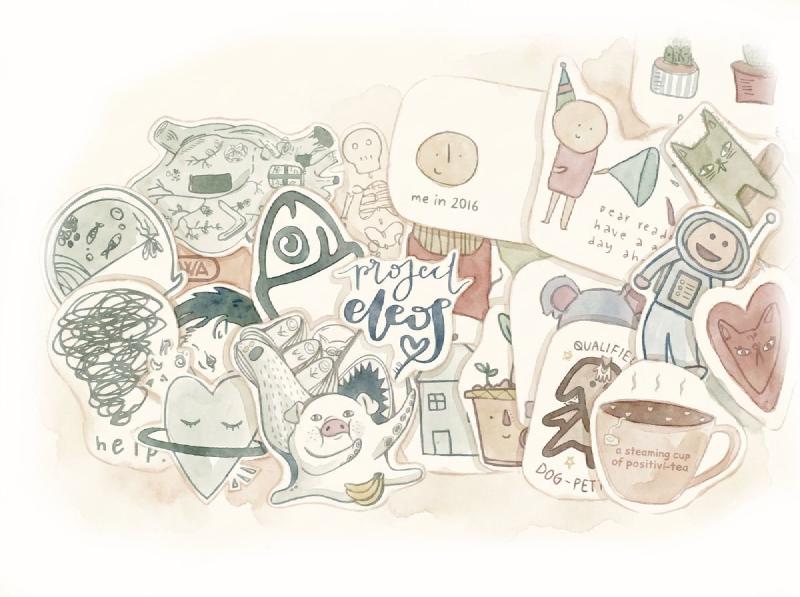
The accessories are half the fun. But guess what? They also come with their own vocabulary.
Keep in mind these planner accessories vocabulary essentials:
18) Washi Tape #
Decorative paper tape, originally from Japan, is typically available in hundreds of patterns and colors.
In the planner world, washi tape is used to:
- Mark special days
- Organize sections
- Create borders
- Decorate spreads
What’s more, it’s repositionable and removable, which makes it beginner-friendly.
19) Planner Stickers #
Decorative elements or adhesive labels are designed specifically for planners.
They can be:
- Decorative (themes, flowers)
- Functional (icons, reminders)
A lot of planner creators even sell sticker kits that are made in a way to match personalized planner layouts.
20) Sticky Notes #
Temporary notes are used as a planner staple. They are kind of temporary notes, or reminders, that may need to be moved.
Sometimes, they can even be in the form of brain dumps that one can relocate later.
Post-it-style sticky notes are widely used inside planners and on their dashboard pages for flexibility.
21) Divider #
A divider, or a physical separator, is in the form of a plastic tab or a thick card.
With its help, you can divide your planner into sections, like weekly, monthly, notes, and projects.
For example:
- Personal section
- Work section
- Goals section
22) Planner Inserts #
Consider planner inserts as extra pages added to your existing planner.
They fit inside a specific disc-bound or ring-bound planner system, and you can simply print them at home, purchase them, or download them as templates.
Habit trackers, weekly inserts, and meal planning pages are some examples of planner inserts.
23) Tabs #
Tabs help you flip between sections quickly, which is perfect for bulky planners.
Simply put, sticky tabs, cut-out page edges, and sticker tabs really come in handy to mark particular dates or sections for easy access.
Similar to the tabs on a tabbed notebook, but often cuter in the planner world.
24) Highlighters #
Highlighters are used for:
- Prioritizing tasks
- Color coding
- Visual organization
No doubt, they can prove to be super helpful in organizing your spreadsheets.
Pastel highlighters are my personal favorite as they don’t bleed through most planner-weight paper as much as bold neon shades.
25) Color Coding #
A system where different colors represent different categories.
Example:
- Blue = Work
- Pink = Personal
- Green = Health
With this trick, the planner becomes much easier to scan, which is why busy bees really prefer it. Yes, me too!
Planner Community Terms #
This is where things get fun. The planner community’s terms are full of personality.
26) Planner Peace #
Planner peace is basically the dream state every planner user talks about.
It means your planning system feels:
- Organized
- Satisfying to use
- Easy to maintain
- Mentally calming
There’s no overwhelm, no messy layouts, and no pressure to “do it perfectly.”* Just a system that works quietly in the background of your life.
27) Decorative Planning #
Decorative planning focuses more on aesthetics than structure.
This includes using:
- Stickers
- Themed layouts
- Colors and patterns
- Washi tape and embellishments
It’s less about productivity rules and more about making planning feel enjoyable and creative. For many people, this is what turns planning into a relaxing hobby.
28) Functional Planning #
Functional planning is the opposite approach—everything is designed for clarity and usability.
The focus is on:
- Clean layouts
- Task organization
- Efficiency
- Minimal distractions
Most planner users don’t strictly choose one style. Instead, they blend functional structure with a bit of decorative flair to keep things both practical and enjoyable.
29) Pen Test #
A pen test is when you test different pens on your planner paper before actually using them.
People usually check for:
- Ink smoothness
- Smudging
- Bleed-through on pages
- Writing comfort
It might sound simple, but in planner communities, pen testing is almost a ritual—especially for people who care about clean, aesthetic pages.
30) Flip-Through #
A flip-through is when someone shows the inside pages of their completed planner.
You’ll often see this in:
- YouTube planner videos
- Instagram reels
- Planner blogs
It gives a real-life look at how someone actually used their planner over time, including layouts, stickers, and habits.
31) Plan With Me #
Plan with me (often written as P.W.M.) is a popular content style where creators plan their week or month while recording the process.
It feels like:
- A calm productivity session
- A behind-the-scenes look at planning routines
Many beginners find these videos helpful because they show how different planning styles actually work in real life.
32) Planner Stack #
A planner stack simply refers to the collection of planners someone owns or actively uses.
For example, a person might have:
- A weekly planner for work
- A journal for personal thoughts
- A habit tracker notebook
- A digital planner on their tablet
In planner communities, having a “stack” is completely normal—because different planners often serve different purposes in daily life.
Digital Planner Terms #
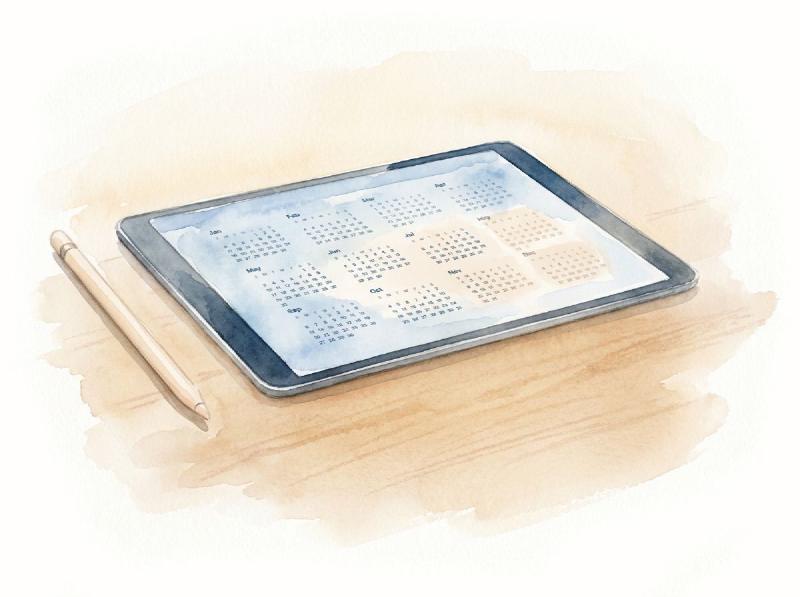
Digital planning has exploded in recent years, especially with the rise of tablets and stylus tools.
And of course, it comes with its own digital planner terms, too. Here we go:
33) Hyperlinked Planner #
A hyperlinked planner is a digital planner where you can tap links to jump between sections instantly.
For example:
- Tap “Weekly” → goes to weekly pages
- Tap “Goals” → opens goal section
- Tap “Index” → returns to main navigation
It works like a website inside your planner, making navigation super fast and smooth.
34) PDF Planner #
A PDF planner is the most common format for digital planners.
It’s basically a downloadable planner file that you can:
- Open in apps like GoodNotes or Notability
- Write on using a stylus
- Or even print if needed
Think of it as a “printable planner” that also works digitally.
Many beginners start here because it’s simple and flexible.
35) Stylus #
A stylus is the pen you use on tablets (like an Apple Pencil or similar device) to write inside your digital planner.
It lets you:
- Handwrite notes
- Draw
- Highlight tasks
- Decorate pages
Without a stylus, digital planning feels more like typing—but with it, it becomes very close to writing in a real notebook.
36) Digital Stickers #
Digital stickers are one of the most fun parts of digital planning.
They are images or elements you can copy and paste into your planner, such as:
- Habit icons
- Reminders
- Decorative elements
- Labels like “urgent” or “done”
Instead of physically sticking paper stickers, you just drag and drop them.
37) Syncing #
Syncing means your planner data updates across multiple devices.
So if you:
- Add a task on your iPad, it automatically appears on your phone
This is especially useful for people who plan on the go and don’t want to lose track of anything.
38) Annotation #
Annotation simply means writing, drawing, or highlighting directly on your digital planner pages.
For example:
- Marking deadlines
- Underlining important tasks
- Writing quick notes in margins
It’s like writing on paper—but on a screen.
39) GoodNotes #
GoodNotes is one of the most popular apps used for digital planning.
It allows you to:
- Import PDF planners
- Write with a stylus
- Organize notebooks
- Add stickers and images
Most beginner digital planners start with GoodNotes because it’s simple, smooth, and very user-friendly.
40) Importing Files #
Importing files means adding your PDF planner or stickers into a planning app.
This is usually the first step when starting digital planning.
Most users import:
- Monthly planners
- Weekly templates
- Sticker packs
Basic Planner-Related Abbreviations to Remember #
The planner community LOVES good abbreviations. But at the same time, it can make beginners confused.
Here are the ones you’ll see most often:
| Abbreviation | Meaning | What It Is |
|---|---|---|
| WO2P | Week on Two Pages | A weekly spread across two facing pages |
| WO1P | Week on One Page | A full week condensed onto a single page |
| BuJo | Bullet Journal | The customizable dot-grid planning system |
| GTD | Getting Things Done | A popular productivity method by David Allen |
| EDC | Every Day Carry | Items you always have with you, including your planner |
| PWM | Plan With Me | A style of video showing someone’s planning process |
| PP | Planner Peace | Finding the perfect planner system for you |
| HT | Habit Tracker | A tracker for daily habits and consistency |
Final Takeaway #
Planning is a skill, and like any skill, it gets easier the more you practice. The terms in this glossary will start to feel natural once you’re actually using them—you don’t need to memorize all 40+ definitions before you pick up a pen.
Start with the basics. Find a layout that fits your life. Build a simple routine. And as you get more comfortable, you’ll naturally start exploring the accessories, the community, the digital tools… whatever speaks to you.
The goal of planning has always been the same, no matter what words you use: to feel a little more in control of your days, your goals, and your time.
Welcome to the planner community. You’re going to love it here.
—
Looking for a simple place to start? Browse our free and printable planner templates here.
Feature image by Savannah Wakefield on Unsplash